Everything you need around your production sound files.
WaveTag Pro brings metadata editing, playback, monitoring, Poly-WAV operations and sound reports together in one native macOS application.
Metadata, under control.
View the metadata embedded in your production sound WAV files, and edit the fields you need — without leaving your recording folder.
Scene, Take, Tape, Project, Notes, Track Names, Recording Date and more are immediately accessible, whether you're working on a single recording or an entire folder.
Mistakes happen.
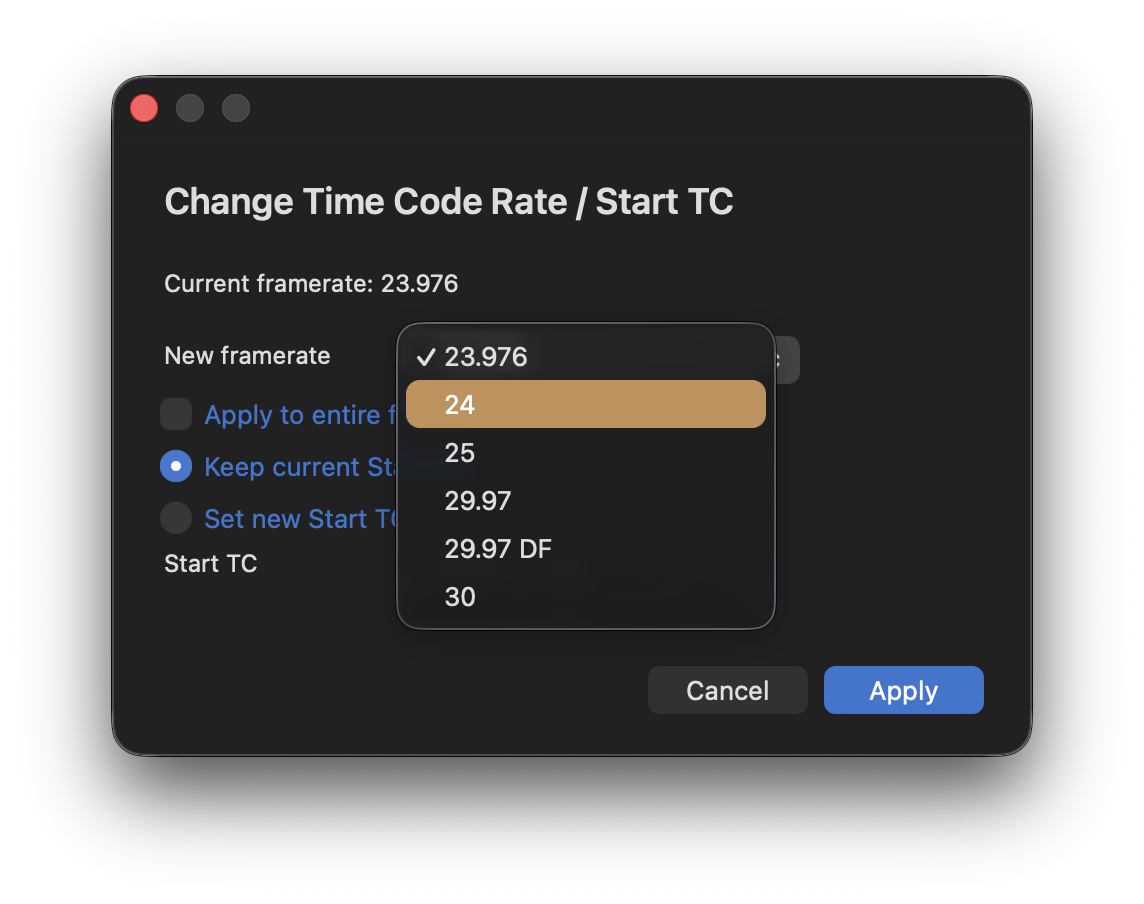
Wrong frame rate? Wrong timecode?
Correct the start timecode or frame rate stored in your recording's metadata — without altering the audio itself.
A wrong setting on set doesn't have to follow your files all the way through post-production.
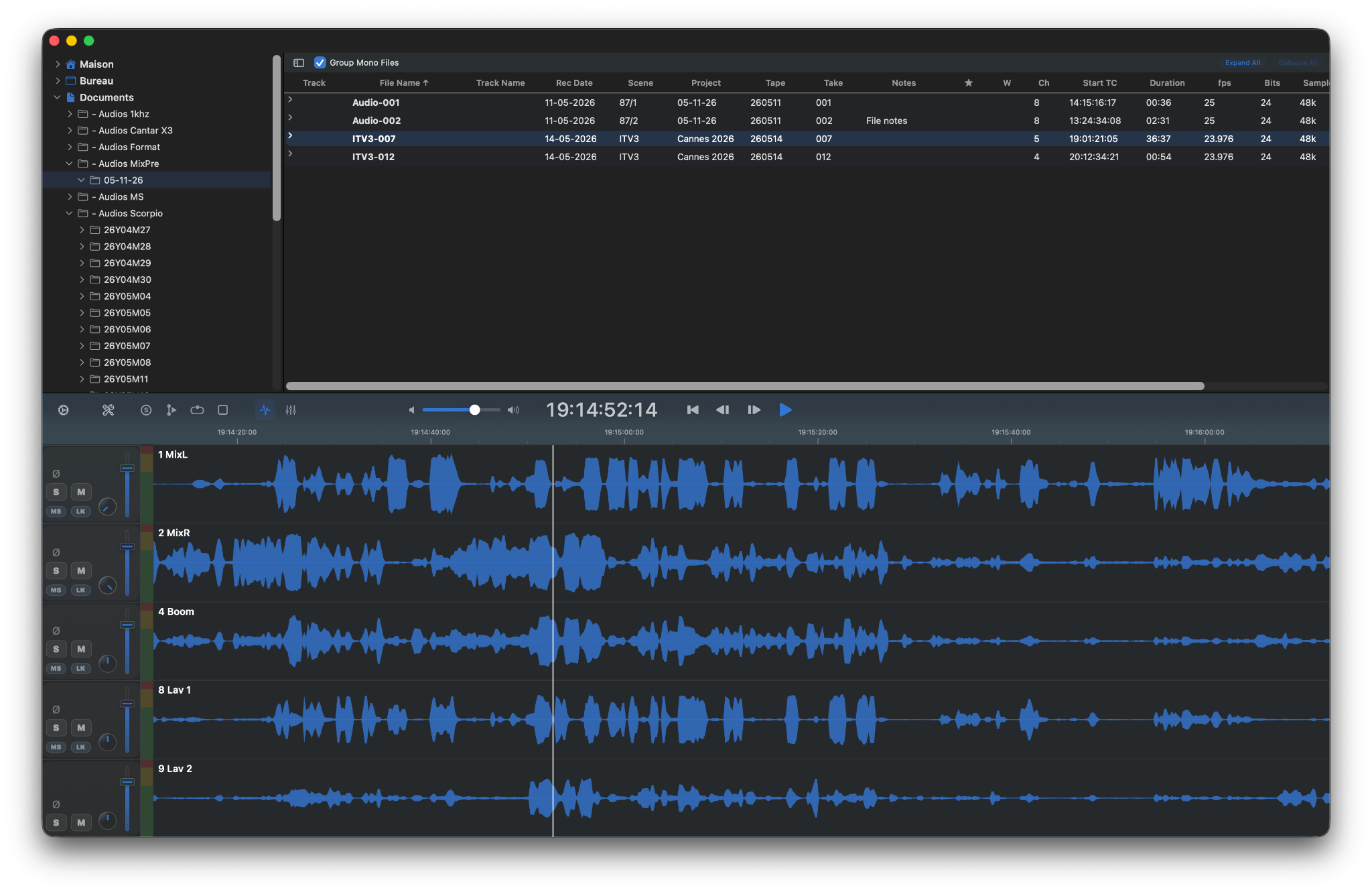
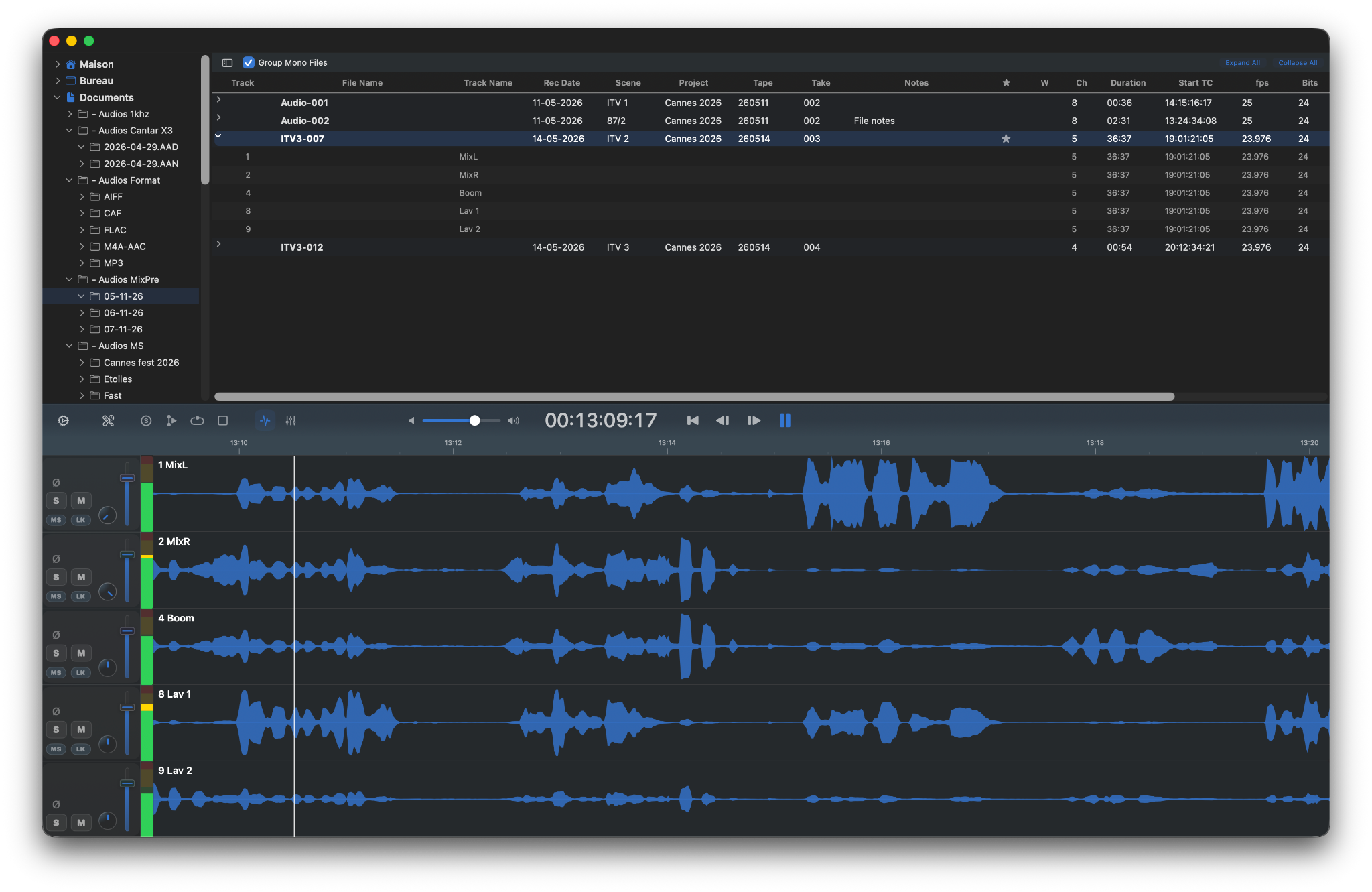
See every track.
Explore every track of a Poly-WAV recording in a synchronized multitrack waveform view.
Listen where it matters.
Select the part of a recording you want to inspect, loop it, and listen to the tracks that matter.
-
Selection & Loop
Focus playback on the part of the recording you want to inspect.
-
Cues
See cue positions alongside the waveform.
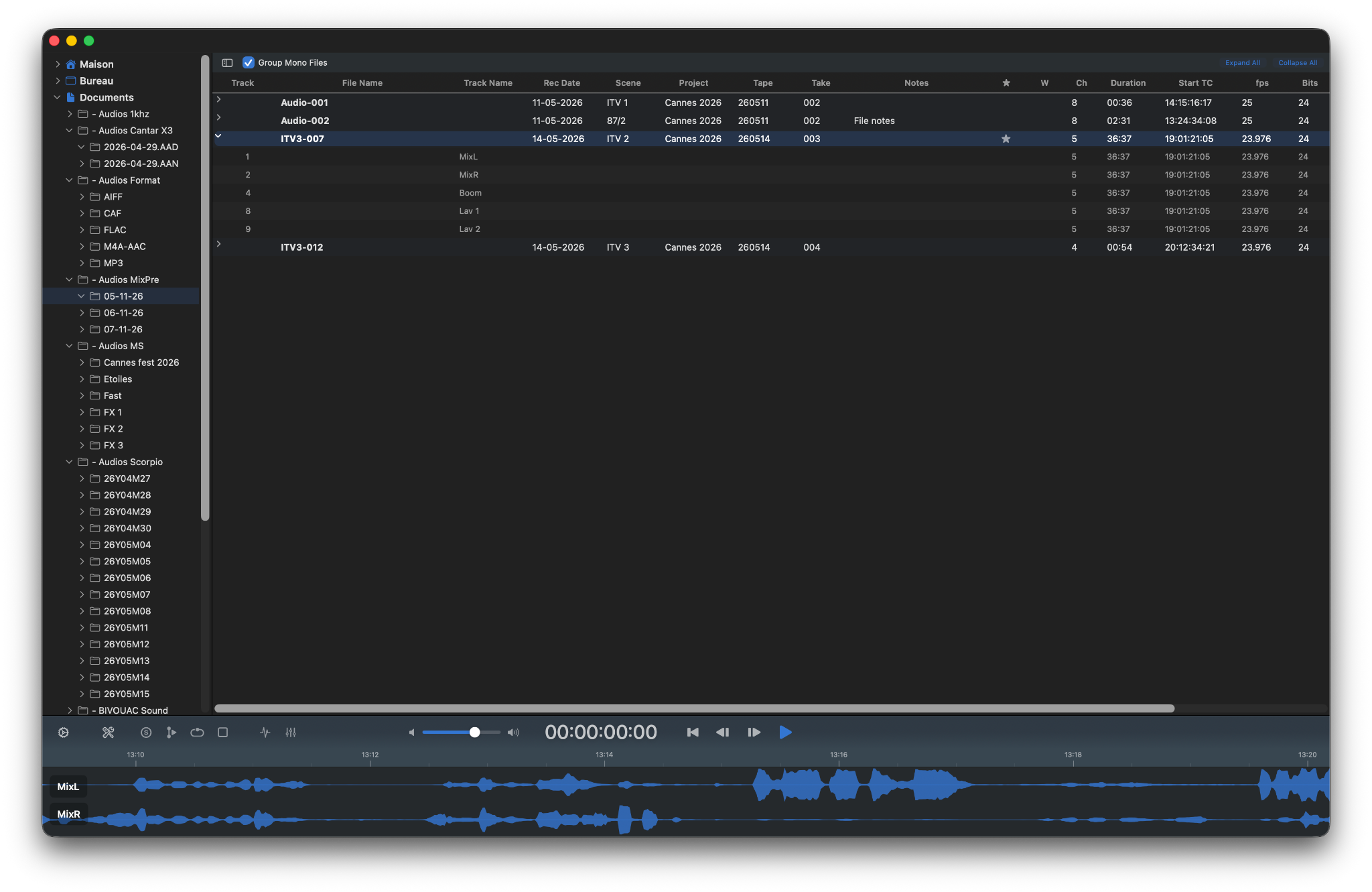
Your file. Your view.
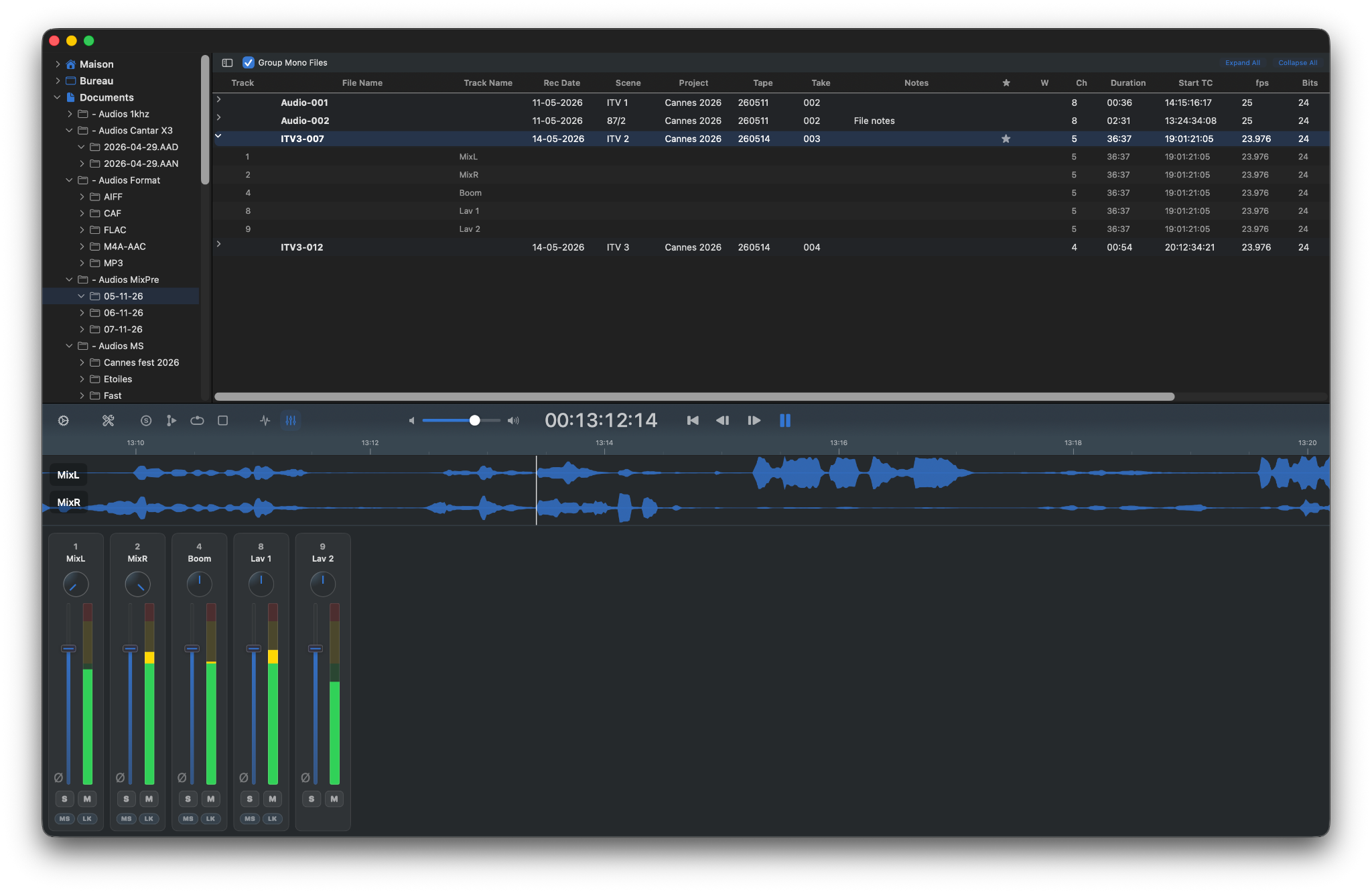
Switch between Table, Waveform and Mixer depending on what you need to see.
-
Table
Browse files and metadata.
-
Waveform
Focus on the recording and its individual tracks.
-
Mixer
Move directly into monitoring and mixing controls.
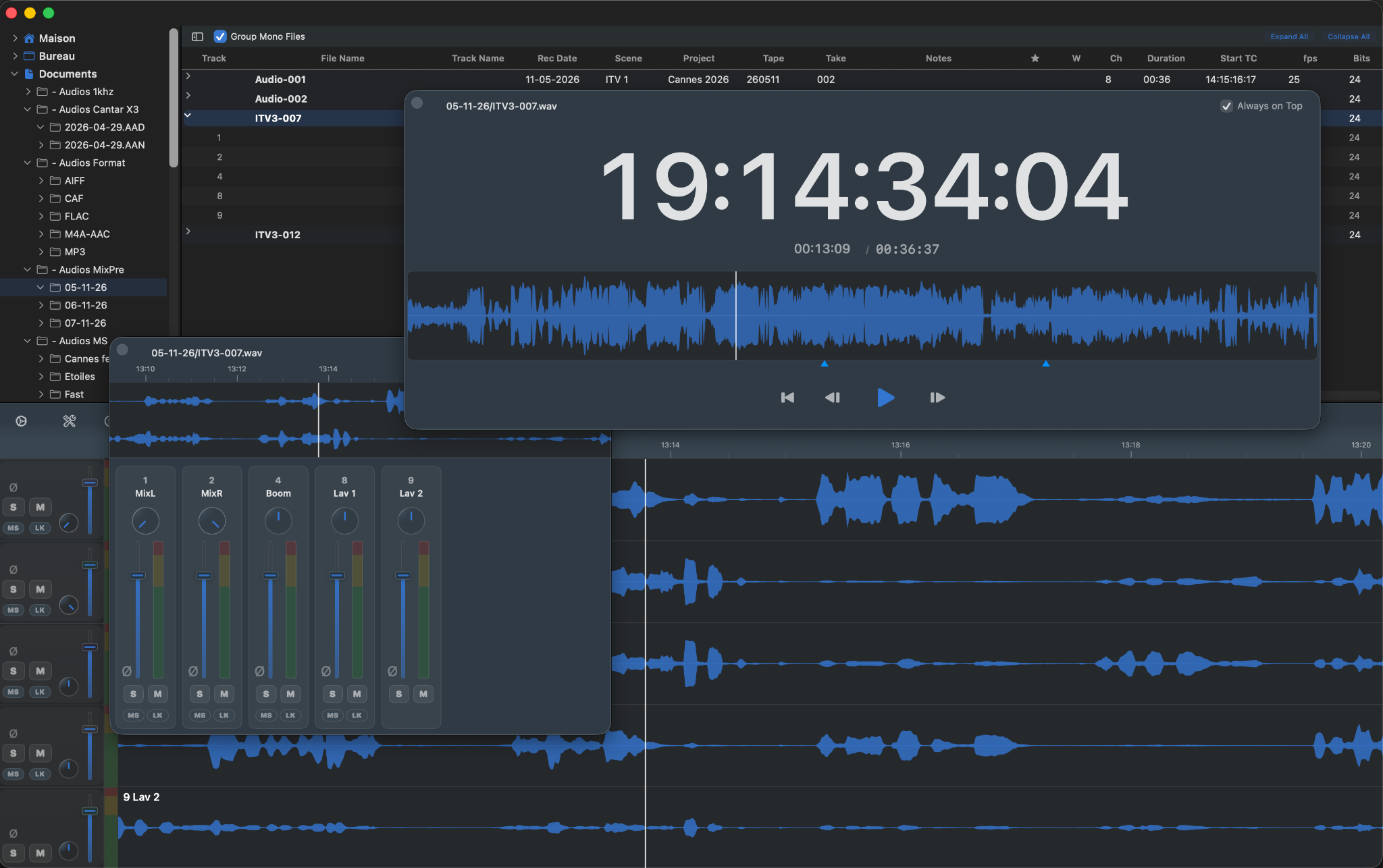
Keep the waveform, timecode and essential playback controls visible in a separate window while working elsewhere.
Monitor every track.
Control the monitoring of each track independently with level, pan, mute and solo — directly alongside your production sound files.
-
Level & Pan
Adjust the monitoring level and position of individual tracks.
-
Mute & Solo
Quickly isolate the channels you need to check.
-
Stereo Pair Link
Link adjacent channels when monitoring AB, XY, ORTF or other stereo pairs. Level, mute and solo stay linked while pan remains independent.
-
Polarity Reverse
Reverse the polarity of an individual track during monitoring.
M/S, decoded while you listen.
Monitor Mid/Side recordings directly during playback without modifying the original audio. Adjust the stereo width, switch between M/S, and hear the decoded stereo image instantly.
-
Adjustable Width
Control the Side contribution from mono to full stereo width.
-
Non-Destructive Monitoring
M/S decoding only affects what you hear. Your WAV files remain untouched.
Tip. Wiring reversed? No worries. Option-click the M/S button to swap M/S and S/M and monitor the recording normally.
Take the Mixer with you.
Keep the multitrack Mixer in its own floating window while browsing files or working in another view.
One file or a whole folder.
Merge, split, remove tracks or rename recordings individually or across an entire folder — with clear previews before processing.
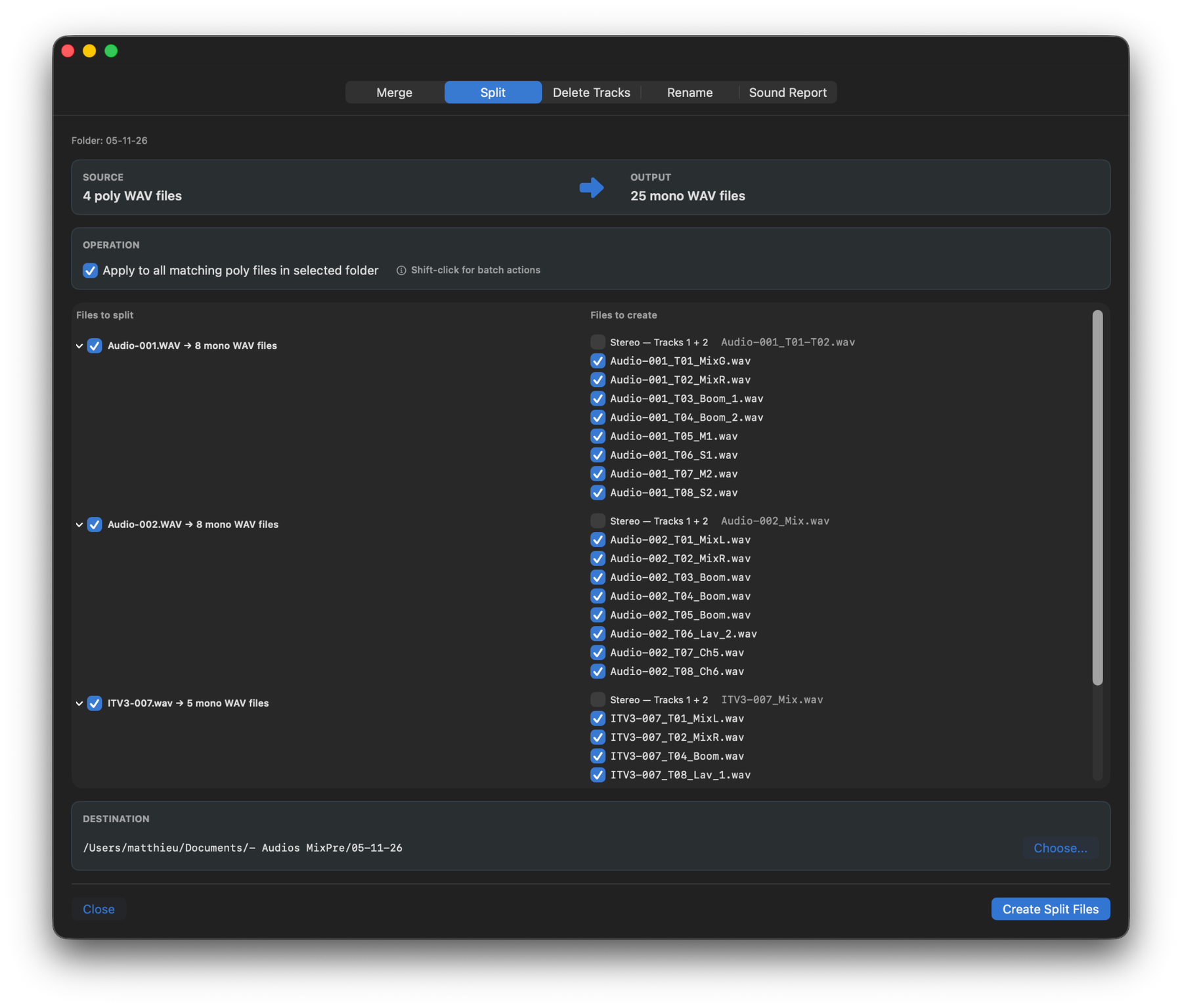
Build or extract Poly-WAV files.
-
Merge
Combine mono or multitrack WAV files into a single Poly-WAV, choosing the tracks you want to include.
-
Split
Extract individual tracks from a Poly-WAV — or create a stereo file from tracks 1+2.
Keep only the tracks you need.
Remove unwanted tracks from Poly-WAV recordings while preserving the remaining tracks and relevant metadata. See exactly which tracks will remain before processing.
Rename from the metadata that's already there.
Build filenames from production metadata and rename an entire folder of recordings in one operation — with a live preview before anything changes.
- Project
- Scene
- Take
- Tape
- Recording Date
- Track Name
- Custom Text
-
Live Preview
See the resulting filenames before processing.
-
Conflict Detection
Spot duplicate filenames before they become a problem.
-
Rename or Copy & Rename
Rename files in place or create renamed copies in another destination.
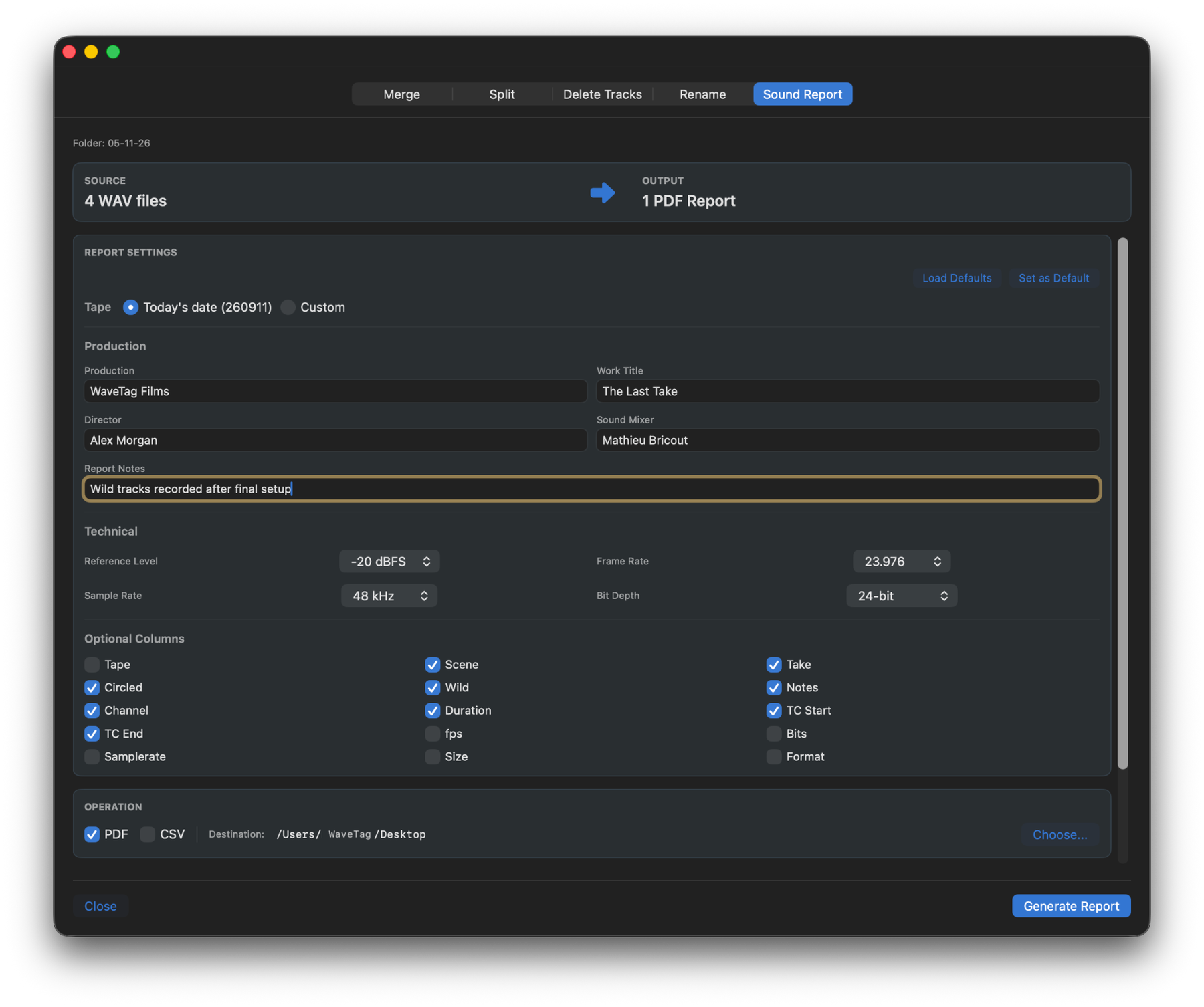
From recordings to sound report.
Turn the metadata already stored in your production WAV files into a clear, professional sound report — without re-entering information take by take.
Your recordings already know the details.
WaveTag Pro collects production and technical information directly from the selected WAV files to build your report.
- Scene
- Take
- Tape
- Notes
- Track Names
- Recording Date
Make it yours. Add production details and choose the information you want to include, with settings for reference level, frame rate, sample rate, bit depth and more.
Ready to share. Generate a clean sound report for production and post-production directly from your recordings.