WaveTag Pro keeps evolving.
New features, improvements and fixes — version by version.
Version 1.6
Current Version-
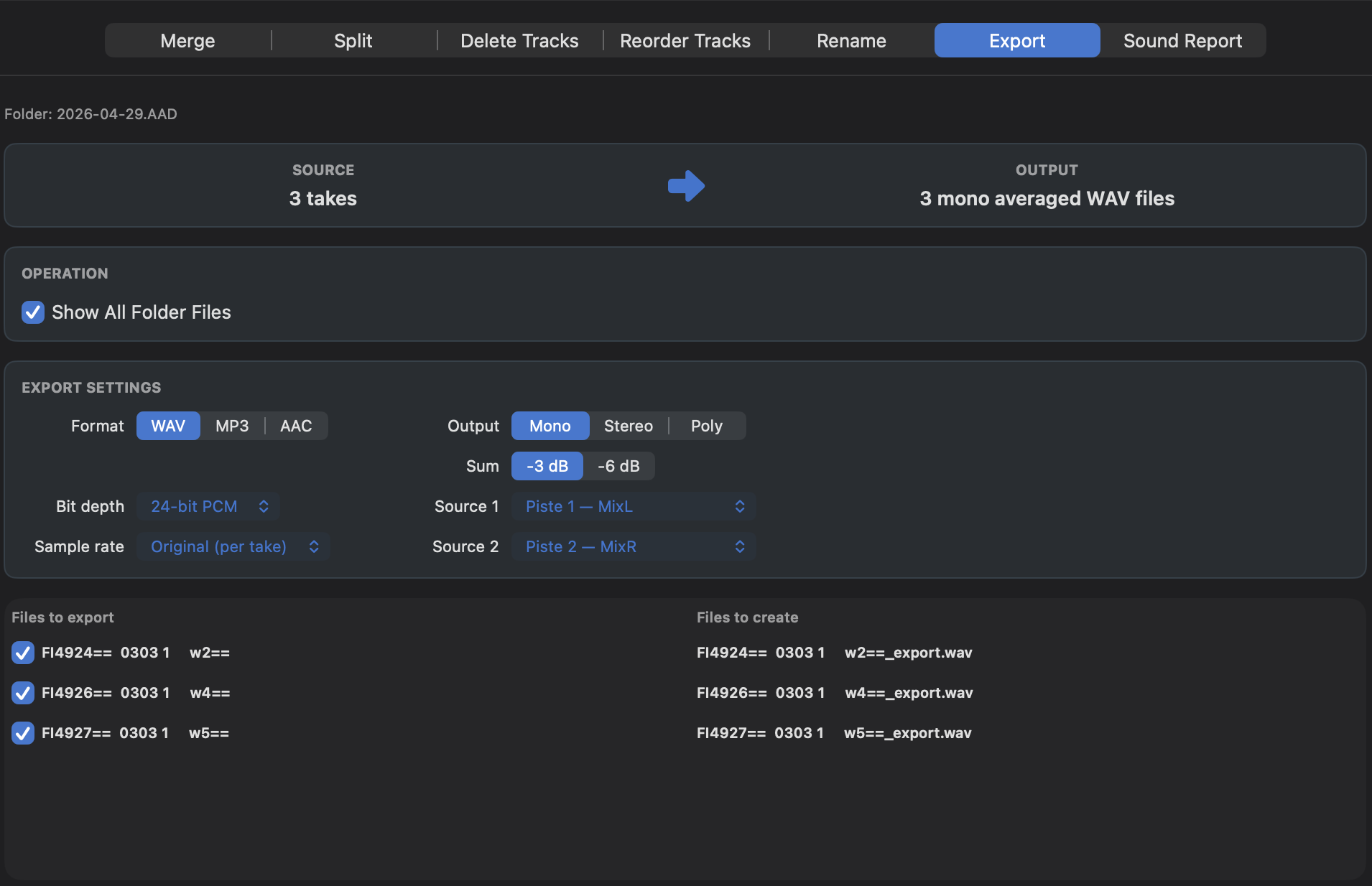
Audio Export · Beta
Export WAV files to WAV, MP3 or AAC, with Mono, Stereo and Poly output options. Choose the source tracks, bit depth and sample rate, with optional resampling and −3 dB / −6 dB attenuation for mono summing.
Version 1.5
-
Reorder Tracks
Reorganize track order directly from the Operations window, with batch support for compatible files.
-
Customizable Meters
Adjust meter floor, yellow and red thresholds, with improved dB graduations.
-
Floating Meters
A compact, always-on-top dual meter window with selectable track pairs.
-
macOS 27 Golden Gate
WaveTag Pro is now fully compatible with macOS 27 Golden Gate.
-
Bug Fixes & Optimizations
Various UI refinements, workflow improvements and stability fixes.
Version 1.4
-
New Viewing Modes
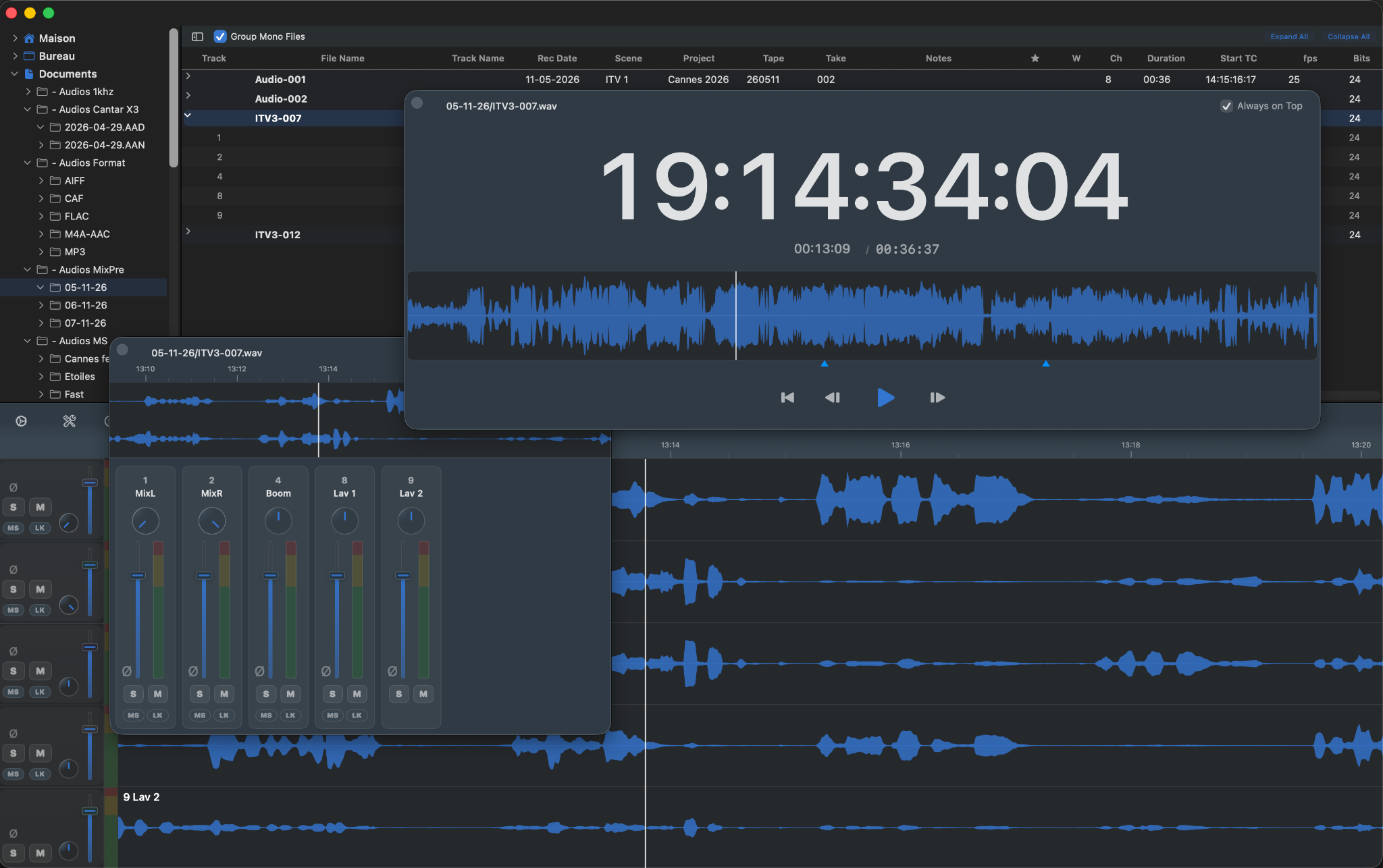
Switch seamlessly between Table, Waveform and Mixer views for a more flexible workspace. Ideal for laptops.
-
Floating Transport & Mixer
Open the Transport and Mixer in separate floating windows for a more flexible workspace.
-
Polarity Reverse
Invert the polarity of individual tracks directly from the Waveform or Mixer for monitoring, without modifying the audio file.
-
Improved Solo
Shift-click Solo to quickly add or remove tracks from the current Solo selection in OR mode.
-
Bug Fixes & Optimizations
Various fixes and improvements for a smoother and more reliable experience.
Version 1.3
-
M/S Monitoring
Monitor adjacent track pairs in M/S directly from Waveforms or Mixer, with adjustable stereo Width.
-
Stereo Pair Link
Link adjacent stereo tracks for easier monitoring of AB, XY, ORTF and other stereo recordings, with linked level, Mute and Solo controls.
-
Session Monitoring Memory
Monitoring settings are remembered as you move between files during the same WaveTag session.
-
Improved Mixer
Linked AB and M/S pairs are now visually grouped in the Mixer for clearer stereo pair identification.
-
Persistent Workspace
WaveTag now remembers your browser, file list and monitoring area dimensions, as well as your last Waveforms or Mixer view between launches.
-
Improvements & Fixes
Various performance improvements and bug fixes.
Version 1.2.1
Performance optimizations and various minor fixes.
1.2
-
Batch Rename
Rename multiple files at once using metadata-based tokens, live filename previews, conflict detection, and optional Copy & Rename.
-
Unified Operations
Merge, Split, Delete Tracks, Rename, and Sound Report are now grouped in a single streamlined Operations window.
-
Improved Audio Operations
More flexible track selection, clearer Source → Output previews, improved processing feedback, and quick Reveal in Finder access.
-
Sound Report Defaults
Report settings can now be saved and loaded directly from the Sound Report window.
-
Interface
The folder browser can now be hidden to give more space to the file table, with a cleaner and more compact main window layout.
-
Recording Date
BWF recording dates are now read and displayed in the file list, and can be used when batch-renaming files.
Version 1.1
- Added built-in update checking and What's New
- Redesigned Split, Merge and Delete workflows
- Added per-file and per-track selection for batch operations
- Added stereo export for Tracks 1 + 2 in Split
- Improved output previews and file selection controls
And there's more to come…